 TimeMate
Block what distracts you
Pick individual apps, whole categories or websites, or block your entire phone in one tap.
Screen time on your terms
TimeMate blocks single apps, groups of apps or your whole iPhone. You decide in advance how a block can be ended, so giving in takes real effort.
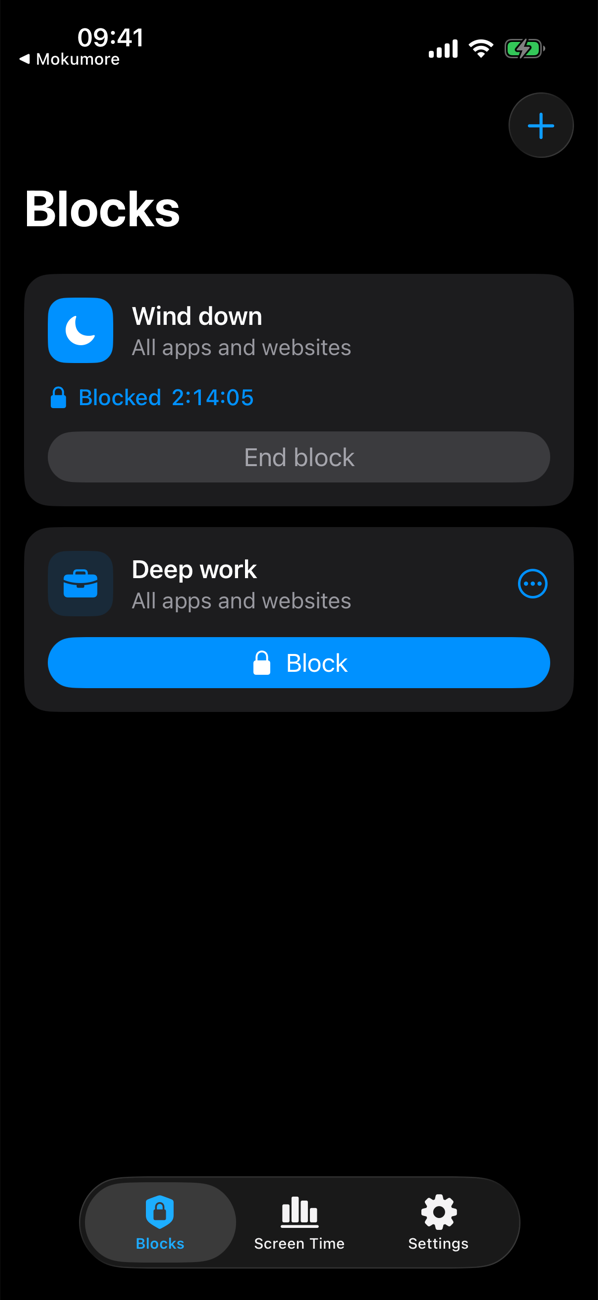
Pick individual apps, whole categories or websites, or block your entire phone in one tap.
Choose how a block is ended: a few sums, a PIN, or a key you keep somewhere out of reach.
View your screen time per app and category, and how long you kept each block going.
Turn on one or several per group. The more effort it takes, the better it works.
Solve a few short sums. One wrong answer and you start over.
Enter a code of 4 to 8 digits. Let someone else choose it for extra strength.
Scan a QR code you saved earlier, for example one taped inside a cupboard.
Use the barcode of any product, like a book on a shelf in another room.
Hold your phone against an NFC sticker you keep at work or by the front door.
Turn on discouragement and TimeMate first asks “Are you sure you want this?”. You have to stay on that screen for three seconds, with your own reason in view, before you can continue.
No account and no servers. TimeMate cannot see or send your screen time data. The app is free and shows one small banner ad; ads are only personalised with your consent.
Read the privacy policy →